
The problem: The Sketchdeck platform had a task assignment feature that was not-functional for resource management.
Sketchdeck's platform was primarily used to assign tasks to design consultants and have them upload those deliverables into the platform, that can then be shared with clients for feedback. Project managers managed these projects, which ranged from long-term projects lasting weeks or months, to projects with a turnaround time of 1-2 days.
The current task assignment calendar was designed for PMs with short-term projects and small teams; they didn't have much use for a task manager. However, Sketchdeck was onboarding new clients with different needs, like video production, for example. For these types of projects, PMs that needed to plan out projects in advance, they wanted to make sure that the designers that they wanted for projects were available and deliverables would be on-time. The teams were also more complex, with multiple designers, QC, production specialists, etc.

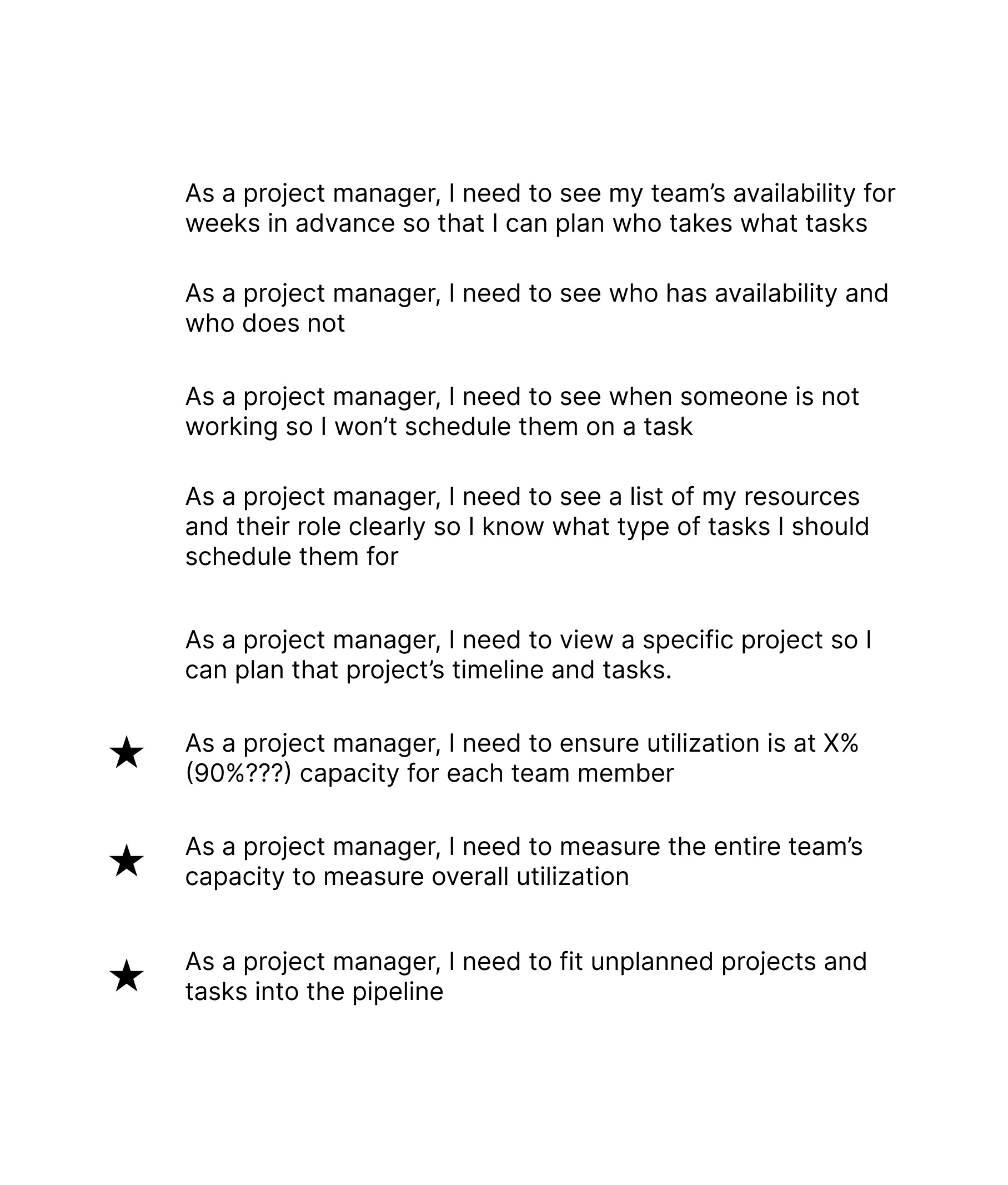
The current task assignment calendar wasn't working for these new projects. We had brought on new team members with different needs: their projects were longer-term and them needed to be able to manage their team with much finer grain detail. I did a series of interviews with these new team members, and created a list of use cases that this new task manager needed to meet.
The constraints: creating use cases to define task assignment functionality for long-term projects.
After creating the use cased, I validated them with the new PM team. The starred use cases were identified as the primary and most important for this feature to be useful to PMs.
In the existing feature, I identified useful elements to retain, such as sorting by team member, seeing their projects and tasks on those projects, and see when they were out of office. I went through each use case and adapted the task manager to meet that, working very closely with the project managers to ensure that it fit their needs.
The outcome: add team members, see their workload and availability, all easy to scan and edit.
What resulted was not only functional, it's color-coding provided project managers an at-a-glance view of their teams, projects and the ability to distribute tasks to make sure each designer was at the 90% capacity while planning projects for weeks in advance. I love how the UI is functional and beautiful.
